Move in within an afternoon.
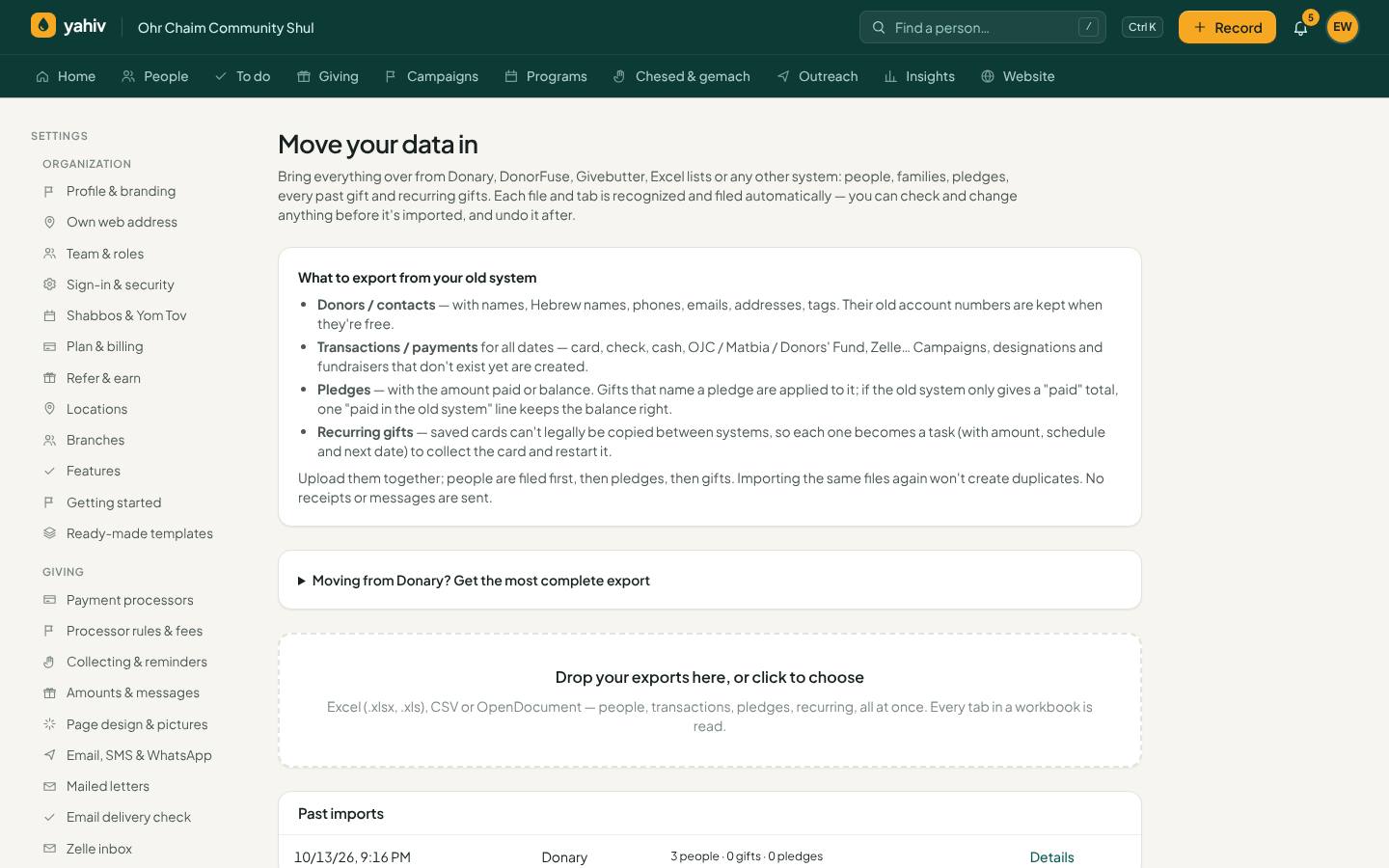
How the move works
Five steps, most of them done by Yahiv.
- 1Export from your current system
Download your people, gifts, pledges and recurring gifts from Donary, DonorFuse, Givebutter or any spreadsheet. Excel, CSV and every tab of a workbook are fine.
- 2Drop the files into Yahiv
Yahiv recognizes each sheet — people, gifts, pledges, recurring gifts, family links — and matches the columns for you. You can change any match, with examples from your own file.
- 3Review likely duplicates
Before anyone is created, possible duplicates are shown side by side with how sure Yahiv is. Merge, combine or keep them apart — or accept all the sure ones at once.
- 4Check the totals
After every import, the import check shows that every row is accounted for and the money matches the file, and lists the people you can't reach yet.
- 5Undo if anything looks wrong
Any import can be reviewed row by row and undone as a whole. Running the same file again never doubles anything.
What comes across
- Old account numbers, so everyone can still find people by the number they know
- Hebrew names, titles and family links (households become families)
- Tags and any extra columns, as your own custom fields
- Campaigns, designations, fundraisers and payment types (checks, Zelle, OJC, Matbia and more)
- Pledges with their payments applied — or a “paid in the old system” line when only a total was exported
- Your old pledge numbers; new pledges get your own letters so the two never clash
Card numbers can't be copied out of any system — that's what keeps them safe. Recurring gifts come across as a list to follow up, and donors can put their card in again through a private update-my-card link. If you keep the same card processor, Yahiv connects to it directly.
The import tools
- Import wizard
Drop in Donary, DonorFuse, Givebutter, Excel or CSV exports, every tab. Yahiv recognizes people, gifts, pledges, recurring gifts and families, and matches columns automatically.
- Keeps everything
Old account numbers, Hebrew names, tags, extra columns, campaigns, designations, fundraisers and payment types.
- Duplicate-safe
Running the same file again doesn't double anything, and ID numbers from two different systems never mix.
- Import check
After every import: every row accounted for, money compared with the file, people you can't reach, and plan room, with sign-off.
- Review and undo
See the rows that need a look, and undo a whole import.
Keep what already works
Sola/Cardknox, Stripe, USAePay, NMI and NMI-based processors, plus Zeffy. Rules send each gift to the right account.
Bank Zelle emails are read automatically and recorded on the right person and pledge.
Daily posting to QuickBooks Online, or import files for QuickBooks and Xero.
Let's look at your data together
Book a demo and bring an export. We'll show you how it lands in Yahiv.