Everything your office does, in one place.
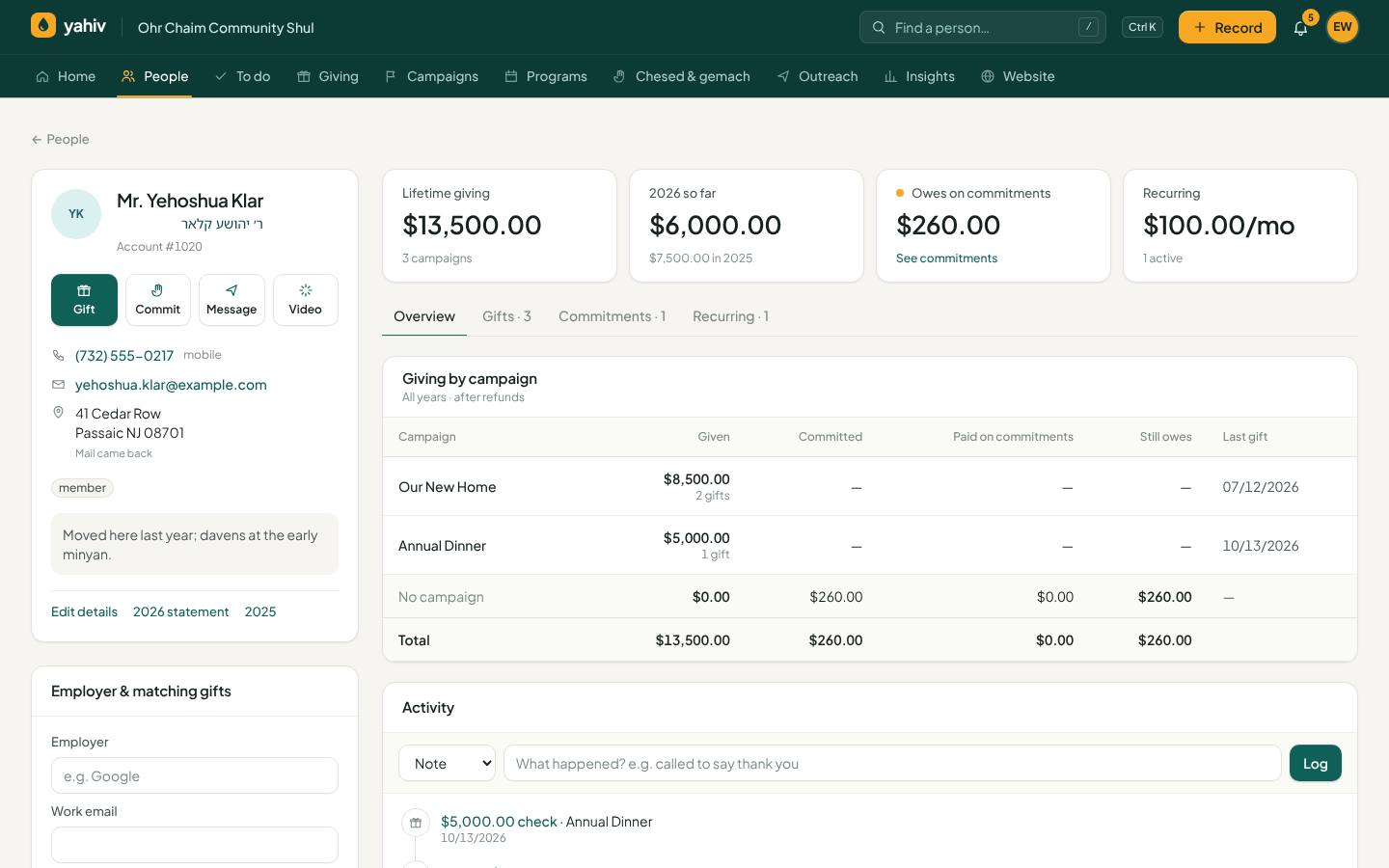
People, families and households
A complete picture of every donor, in English and Hebrew.
- English and Hebrew names
Title, suffix, Hebrew first and last name and father's Hebrew name (ben/bas), shown correctly everywhere.
- Families and households
Spouse, children, in-laws and more, with the right English and Hebrew labels. There's a household view and household statements, and exports include the whole family.
- Smart segments
LYBUNT, SYBUNT, first-time donors, recurring donors, open pledges and lifetime totals, plus saved segments of your own.
- Activity timeline
Every gift, pledge, text, email, call, meeting and note on one timeline, showing whether each message was actually delivered.
- Person summary
Open balance, last gift, giving by year, cards on file and what to do next, at a glance.
- Custom fields, tags and files
Add your own fields, any number of tags, and attach files (letters, forms, photos) to a person.
- Duplicates and merge
Find likely duplicates and merge them. Every linked record (seats, yahrzeits, files, pledge shares) moves to the person you keep.
- Contact preferences
Preferred language, channel and best time to reach someone; no-text and no-email flags are always honored.
- Donor scores and trends
Nightly recency, frequency and amount scores, with 'giving more', 'slipping away' and 'lapsed' trends.
- Address check and returned mail
Clean up addresses and mark returned mail.
- Soft credits
Credit a gift to someone who influenced it (a spouse, a fundraiser) without double-counting.
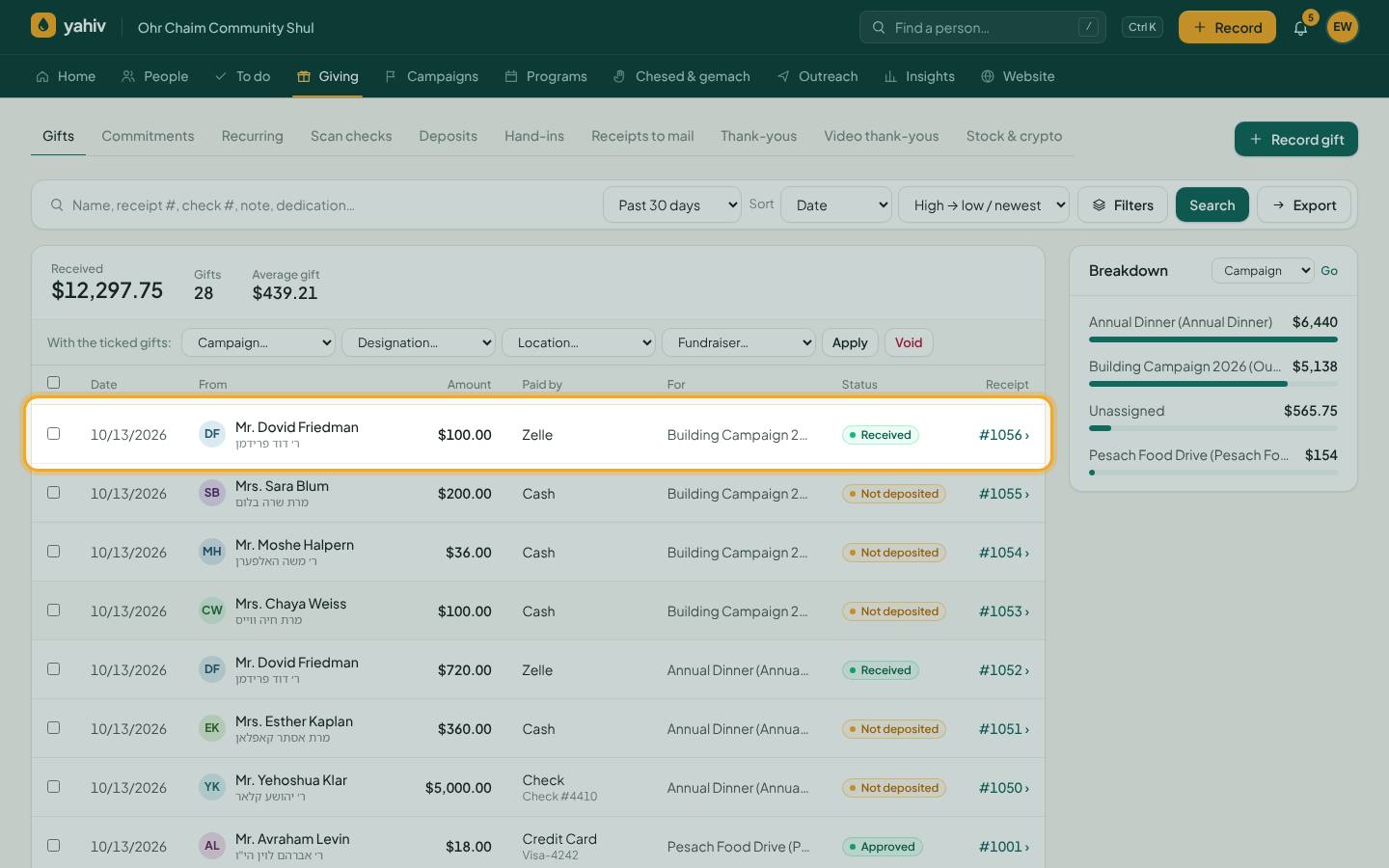
Gifts and payments
Record any kind of gift quickly and see one clear status for every payment.
- Every payment type
Card, ACH, cash, check, Zelle, OJC, Matbia, The Donors' Fund, Pledger, Asser Bishvil or any charity card or voucher, or 'Other' with your own description.
- One clear status everywhere
Approved, In the bank, Not deposited, Handed in, Deposited, Cleared, Declined, Pending, Refund in progress. The same words on every screen.
- Check deposit tracking
Checks move from not deposited to deposited to cleared, or bounced. A bounced check comes off totals and pledges and raises an alert. Printable deposit lists are included.
- Batch entry
Enter a stack of checks or vouchers in one sitting.
- Save & next
Record a gift and go straight to the next one. Your choices (campaign, method, date) are remembered.
- Split payments
Divide one check or charge across several pledges, campaigns or people.
- Fix a gift after the fact
Change the person, date, amount or check number, or move a payment to a different pledge, with a full history.
- Bulk changes
Tick several gifts to set campaign, designation, location or fundraiser, or to void them.
- Donor-covered fees
Donors can choose to cover the processing fee. It appears on the receipt and never counts toward a pledge.
- Non-cash, stock and crypto gifts
Record goods, services, stock and crypto, with the right tax treatment and their own accounting accounts.
- Refunds and voids done safely
Refunds are reserved before they're sent, so the same money can't be refunded twice, and every refund is logged. Voiding part of a divided check voids the whole check.
- Two-person approval (optional)
Refunds, voids, cancellations and deletions above an amount you set can require a second person's OK.
- Recycle bin
Bring back deleted people, voided gifts and cancelled pledges.
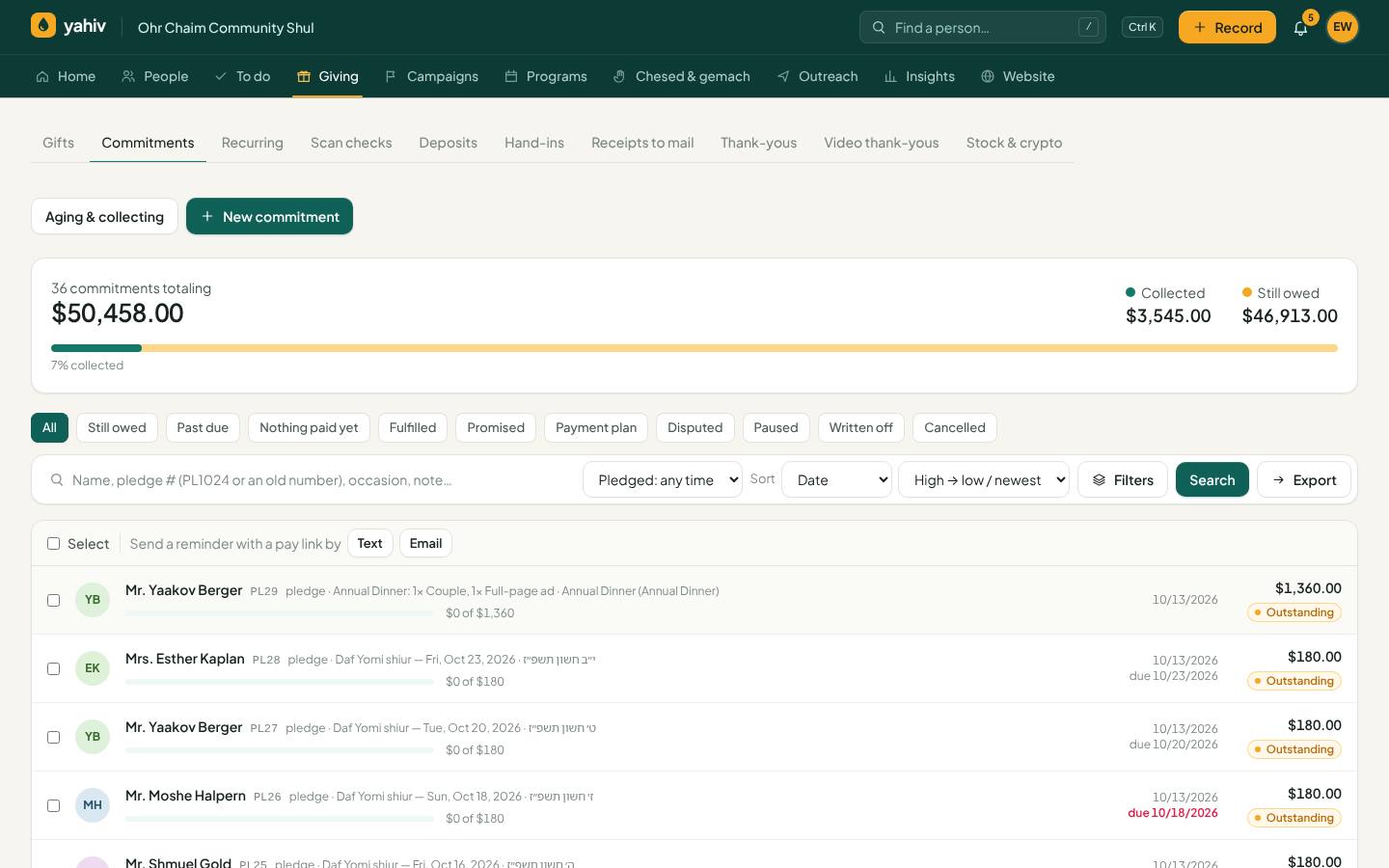
Pledges (commitments)
Pledges that are easy to track and easy to collect.
- Pledge or matana bli neder
Record either, with the occasion (aliyah, mi shebeirach and so on) and Hebrew dates.
- Your own pledge numbers
New pledges get your prefix (for example PL1024) and never clash with imported numbers. Search, Zelle memos and pay links understand both.
- Several open pledges per person
Choose which pledge a payment goes to, and move a payment to another pledge later.
- Shared pledges
One pledge on several people (a family or partners), paid together or split by dollar or percentage shares. Each person sees their own share.
- Statuses
Open, Partially paid, Paid, Promised for a date, Payment plan, Disputed, Paused, Written off.
- Signed pledge forms
Donors sign a pledge form online, and it's kept on their record.
- Pledges from a photo
Take a picture of the aliyos list or pledge cards and Yahiv turns it into pledges for you to confirm.
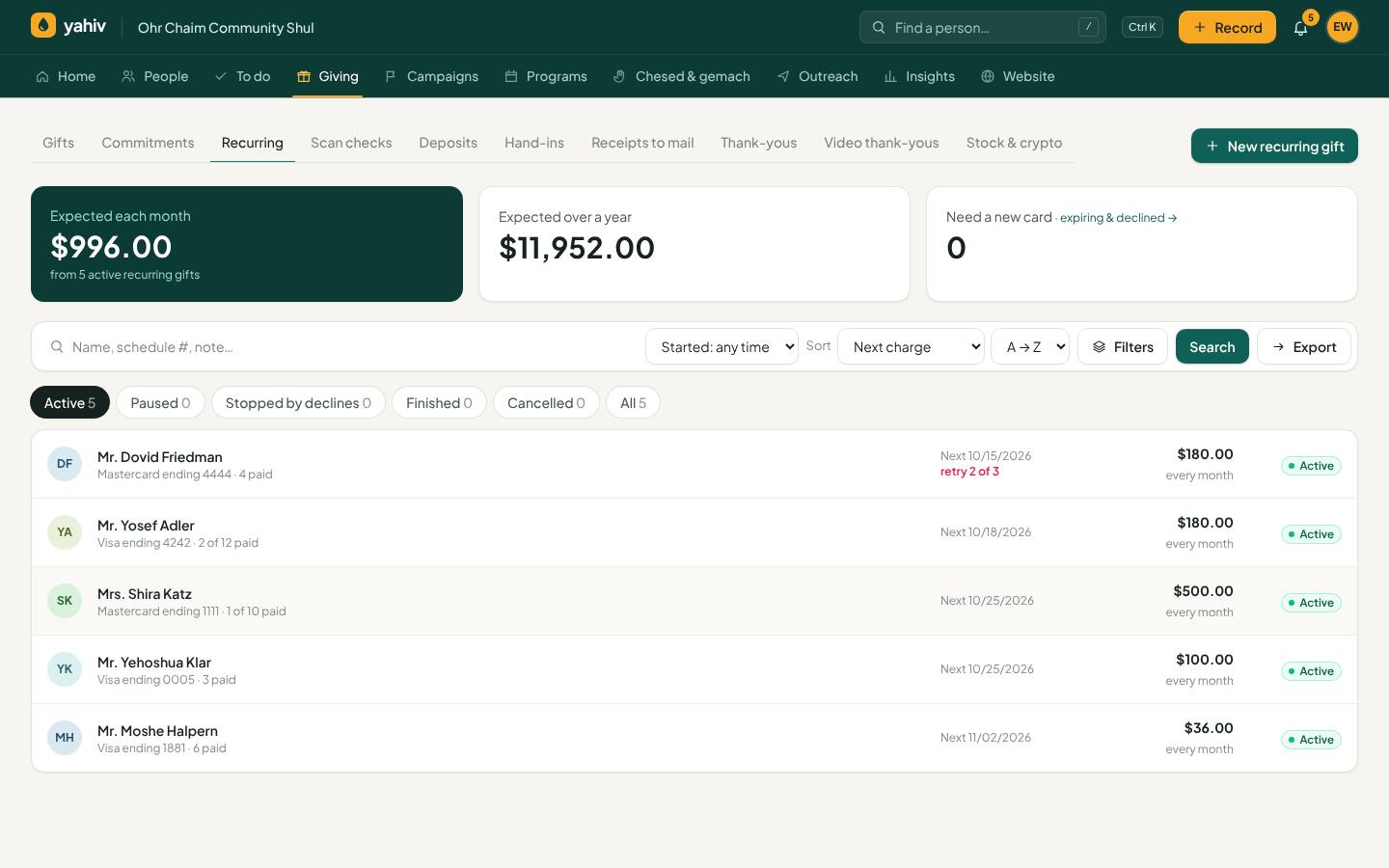
Recurring gifts
Monthly giving that runs itself and is easy to adjust.
- Any schedule
Weekly to yearly, a set number of payments or ongoing, or 'pay off this pledge' (the last charge is capped at the balance).
- Skip and push back
A skipped month moves to the end, so the plan simply finishes one period later.
- Move the next charge
Move the next charge to any date. Pause, resume, cancel, and undo a change.
- Extra payments
An extra payment toward the pledge can replace the next recurring charge.
- Full projected plan
See every upcoming payment and the last-payment date, with a change history.
- Stops by itself
A plan stops when its pledge is cancelled or written off, or when all payments are made.
- Retries on your days
Choose when declined charges are retried. A card that can't work (expired, lost, closed) asks the donor for a new card right away.
Collecting what's owed
Tools that turn pledges into money.
- Reminder plans
Text, then email, then a call task, on a schedule you choose. They stop on their own once the pledge is paid.
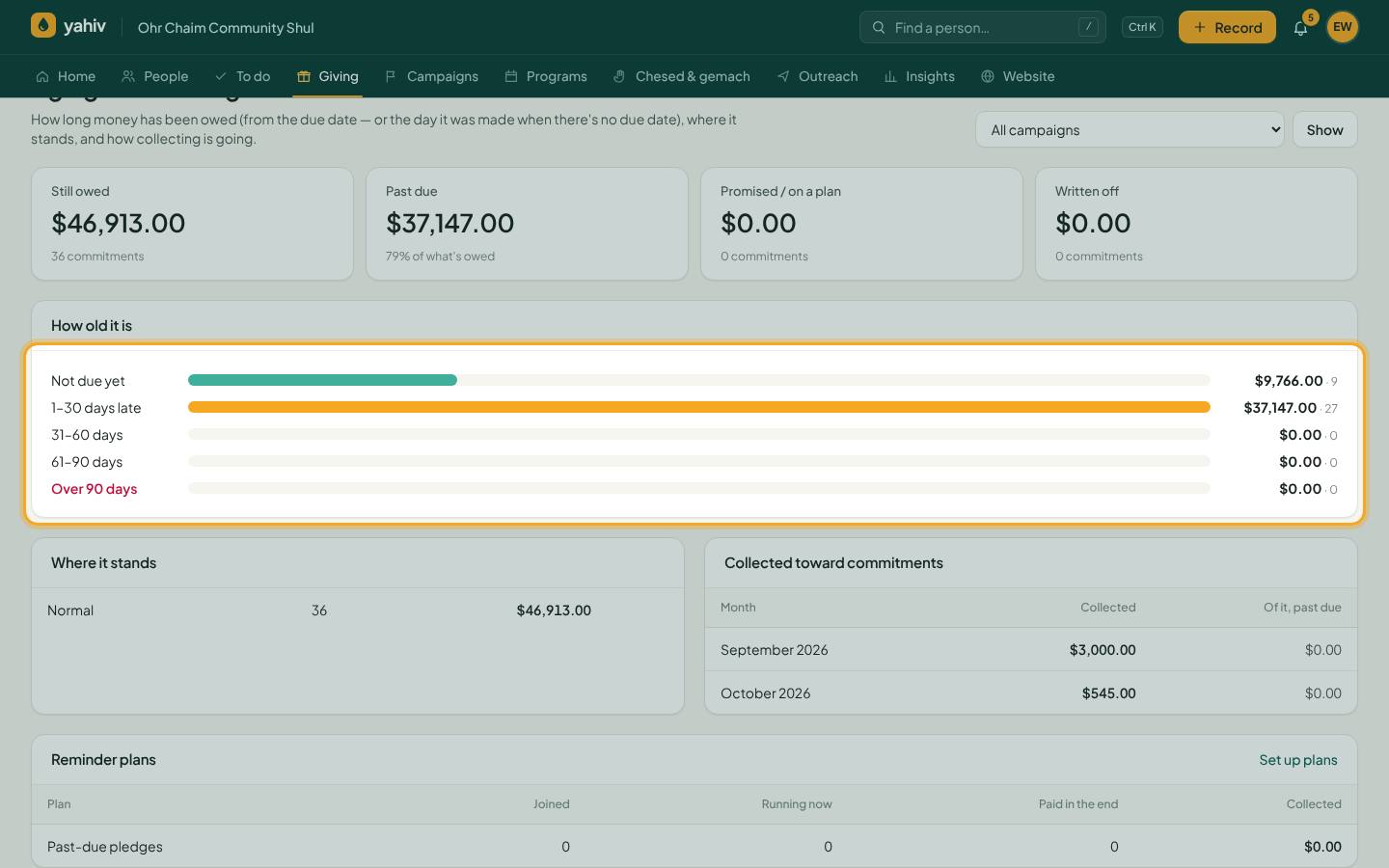
- Aging and collecting report
See who owes what and for how long.
- Card recovery
Expiring and declined cards trigger an email with a private update-card link. Recurring gifts and dues move to the new card and stopped ones restart. You can see each step: asked, opened, recovered.
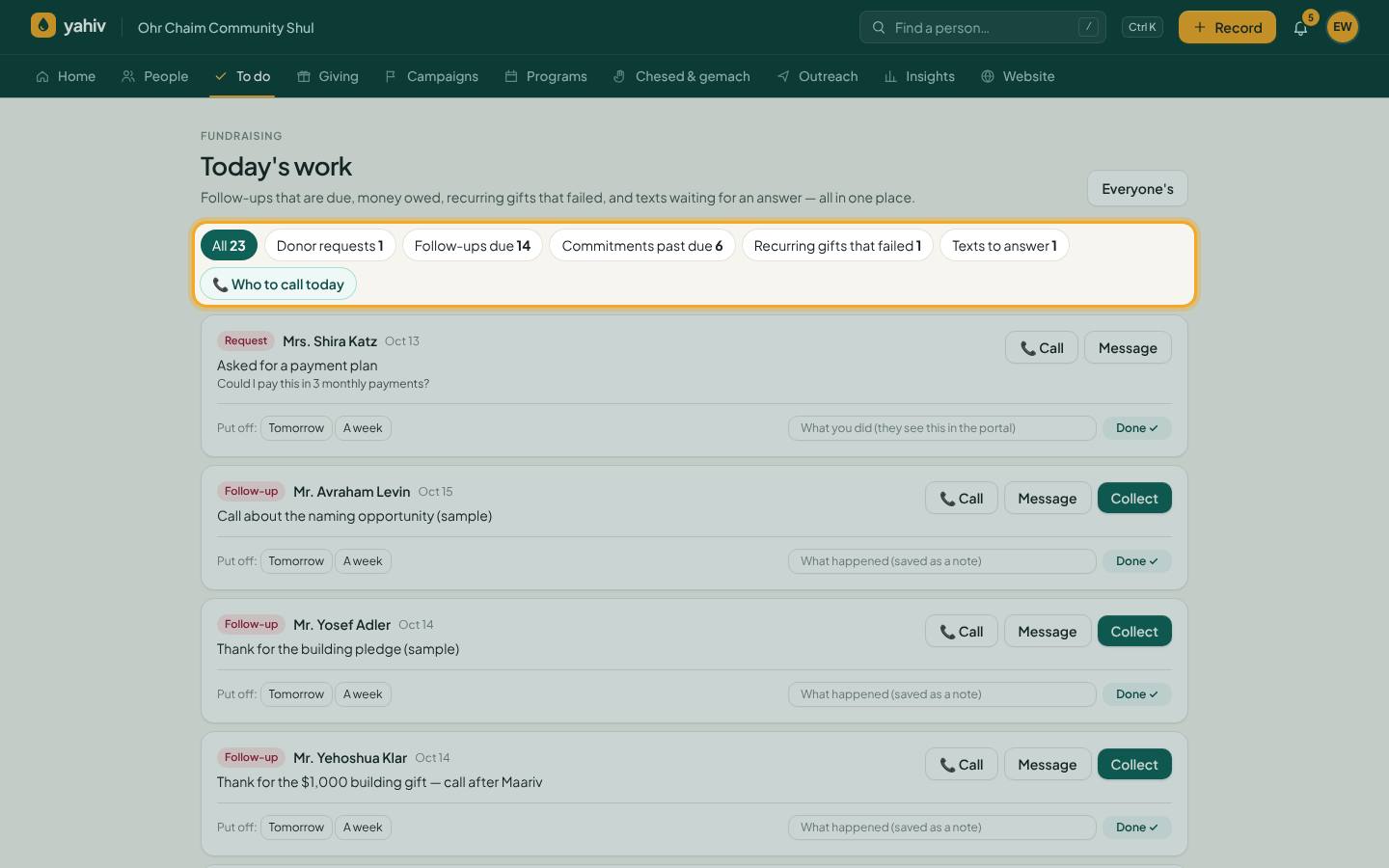
- Today's work
One list of what needs doing today: calls, follow-ups, declines, donor requests.
- Calling screen and call lists
A focused screen for calling donors, and phonathon lists for volunteers.
- Open-balance bills and summaries
Automatic monthly, quarterly or yearly giving summaries and open-balance bills, by email, text or mail.
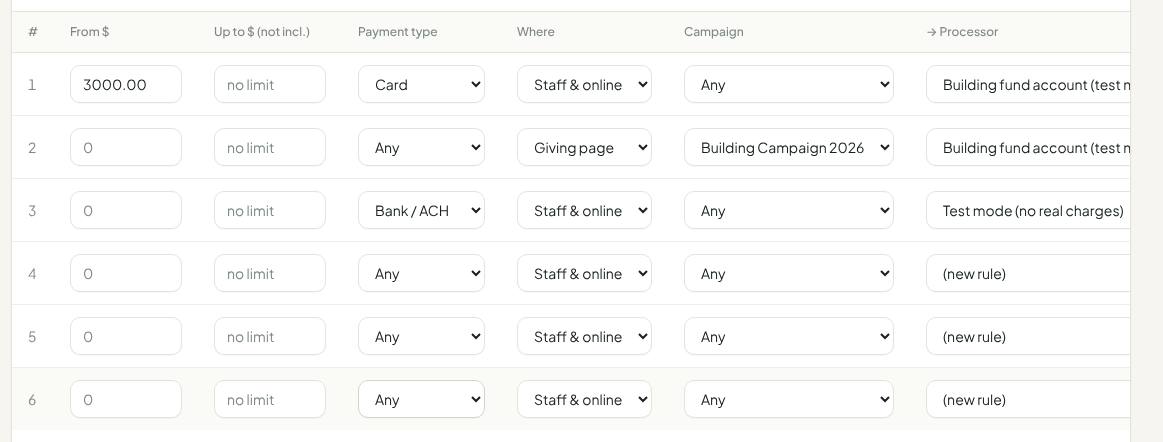
Payment processors and routing
Keep your processors. Yahiv works with them.
- Supported processors
Sola/Cardknox (cards, ACH and charity cards), Stripe (Connect with Stripe), USAePay, NMI and NMI-based processors (SequelPay, Banquest, PayArc, Interconnect, Blink), and Zeffy (imported automatically).
- Processor rules
Choose the processor by amount, payment type, staff or online, and campaign. The gift form shows the chosen processor live, and staff can switch it.
- A processor per campaign
For example, one account for the building fund and another for Pesach.
- Cards on file
Save a card or bank account from the person's profile without charging it.
- Apple Pay and Google Pay
Available on giving pages through Stripe.
- Card-testing protection
Speed limits, bot checks and honeypots stop criminals from testing stolen cards on your giving page.
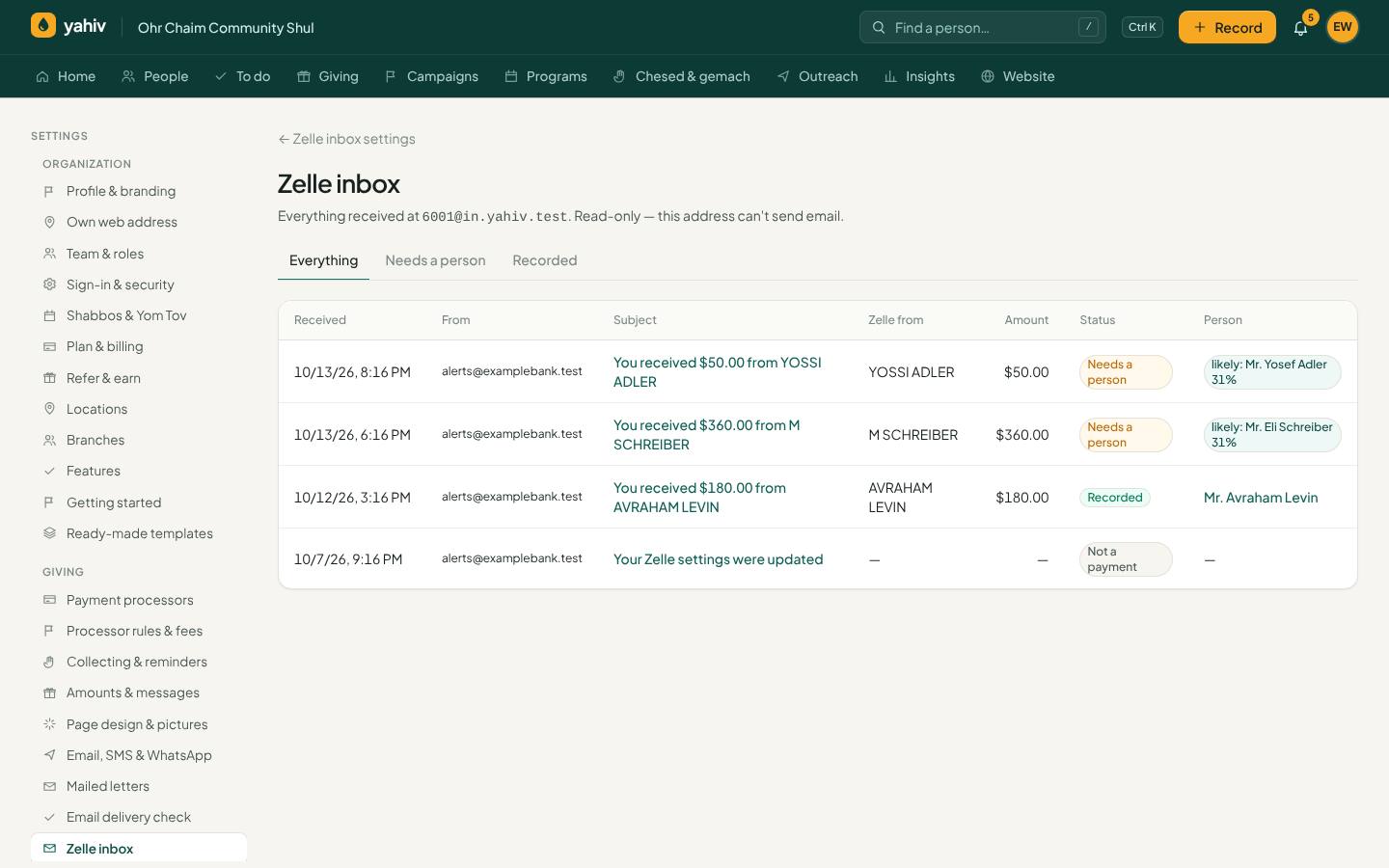
Zelle inbox
Zelle gifts recorded automatically. Nobody types them in.
- Your own Zelle address
Each organization gets a receive-only address to enroll with Zelle at its bank.
- Bank-verified only
Only signed emails from your chosen bank are accepted. Anything else is refused unread.
- Matched to the right person
By remembered Zelle name, sender email or phone, account number or pledge number in the memo, or exact name. Otherwise it waits for an admin to pick, and Yahiv remembers the choice.
- Applied and receipted
The pledge named in the memo is paid, a receipt goes out, duplicates are blocked by confirmation number, and admins get a copy.
- Nothing missed
A bank message that looks like money but can't be read waits for a person, with an alert.
- Public Zelle directory
Your Zelle address is shown on your giving pages and in a public directory.
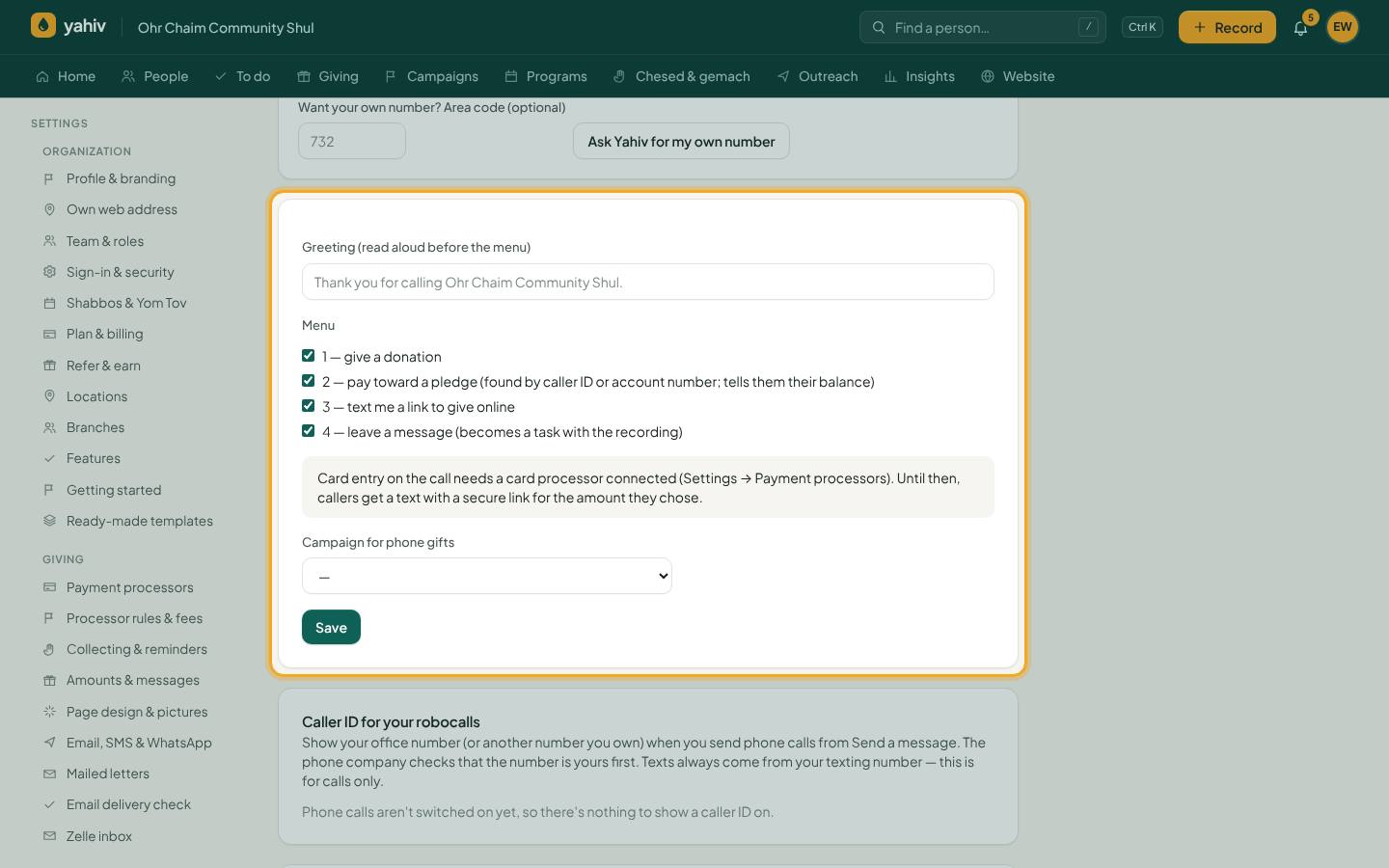
Phone and text giving
A 24-hour giving line and text-to-give, with no setup per customer.
- 24-hour phone giving line
Callers check their balance and pay by typing their card on the keypad. The card goes straight to your processor and is never stored or logged.
- Text to give
Text DONATE 50 or BALANCE. Replying PAY charges the card on file (with limits), and card numbers are never typed into a text.
- Shared Yahiv number or your own
Use Yahiv's shared number with your organization's code, or get your own number.
- Two-way texting
Answer people who text you, from Yahiv.
- WhatsApp
Receipts, reminders and messages by WhatsApp, with opt-outs honored.
- Robocalls and bulk calls
Recorded calls to a list, a tag or a segment.
- STOP always honored
Opt-outs are respected across every organization on the shared line.
- Simple usage billing
Receipts and answers are free; broadcasts and calls are billed monthly on your Yahiv invoice.
Collecting in person
For collectors, events and the shul lobby.
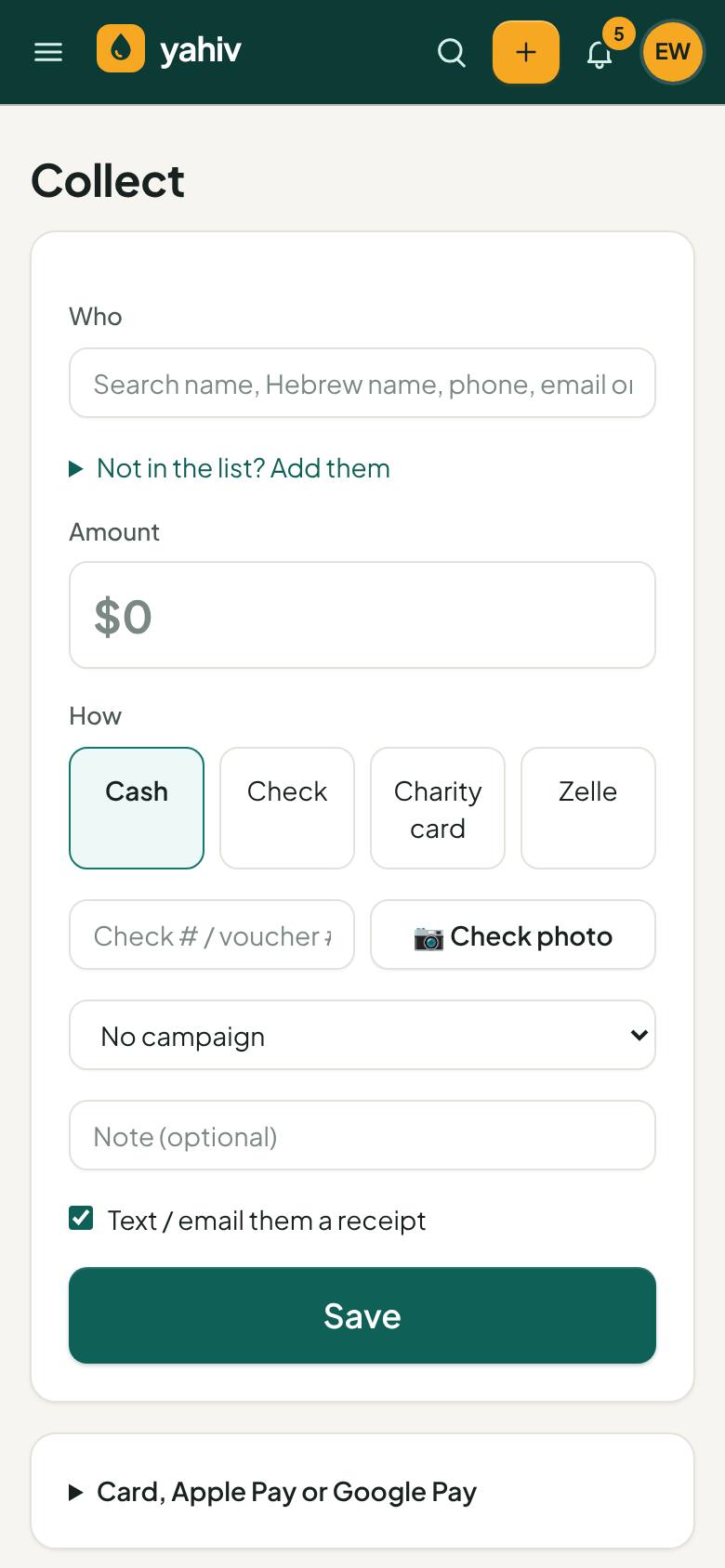
- Collect (phone mode)
Collectors record gifts and take check photos on their phone. iPhone photos are converted automatically.
- Collecting without signal
Gifts are saved on the phone and sent when the signal returns. Gifts saved for one organization never go to another.
- Card reader and scan-to-pay
Cards, Apple Pay and Google Pay in person, or a QR code the donor scans.
- Lobby kiosk
A giving screen for the lobby that resets itself.
- Check scanning with AI
Reads amount, check number, date and payer. Flags uncertain fields and checks already recorded.
- Hand-ins
Collectors close their shift and hand in cash and checks with their own count. An admin confirms what arrived or records the difference with a reason.
- Pushkas
Track tzedakah boxes and their collections.
- Collection routes (Purim)
Plan routes and record what each stop gave.
- Fundraiser / meshulach commissions
Each gift keeps the fundraiser's commission rate, with adjustments and approvals.
Online giving and campaigns
Beautiful giving pages and campaigns that drive results.
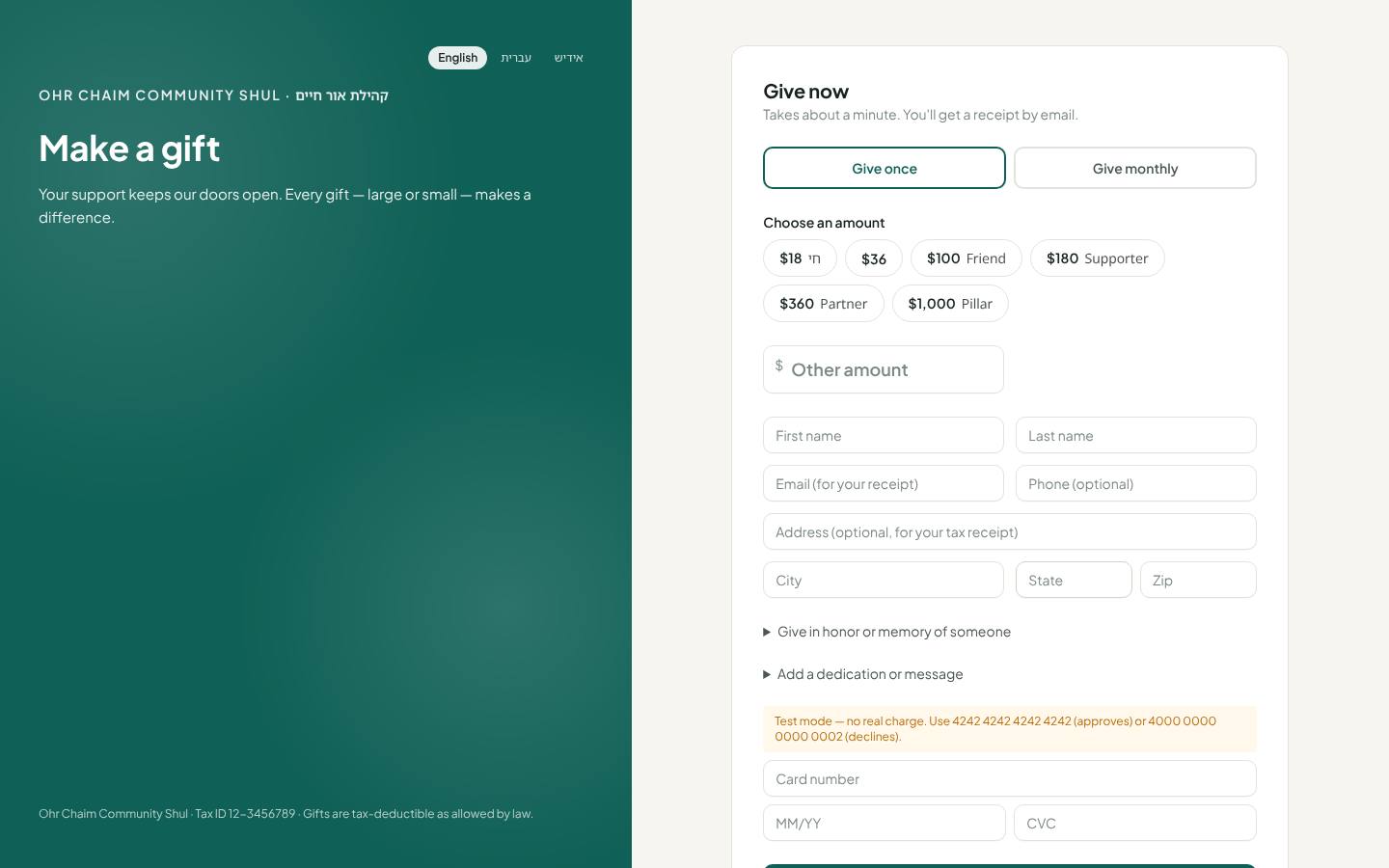
- Giving page for every organization
Preset amounts with Hebrew titles, monthly option, dedications, anonymous giving and a QR code. No login for donors.
- donate.yahiv.com
Donors search for any organization to give or to look up their balance.
- Campaigns
Goals, bonus goals, countdown, matching (2x, 3x and so on), sub-campaigns, a donor wall and designations with goals.
- Teams and peer-to-peer
Teams and ambassadors with leaderboards, and supporter pages that you approve.
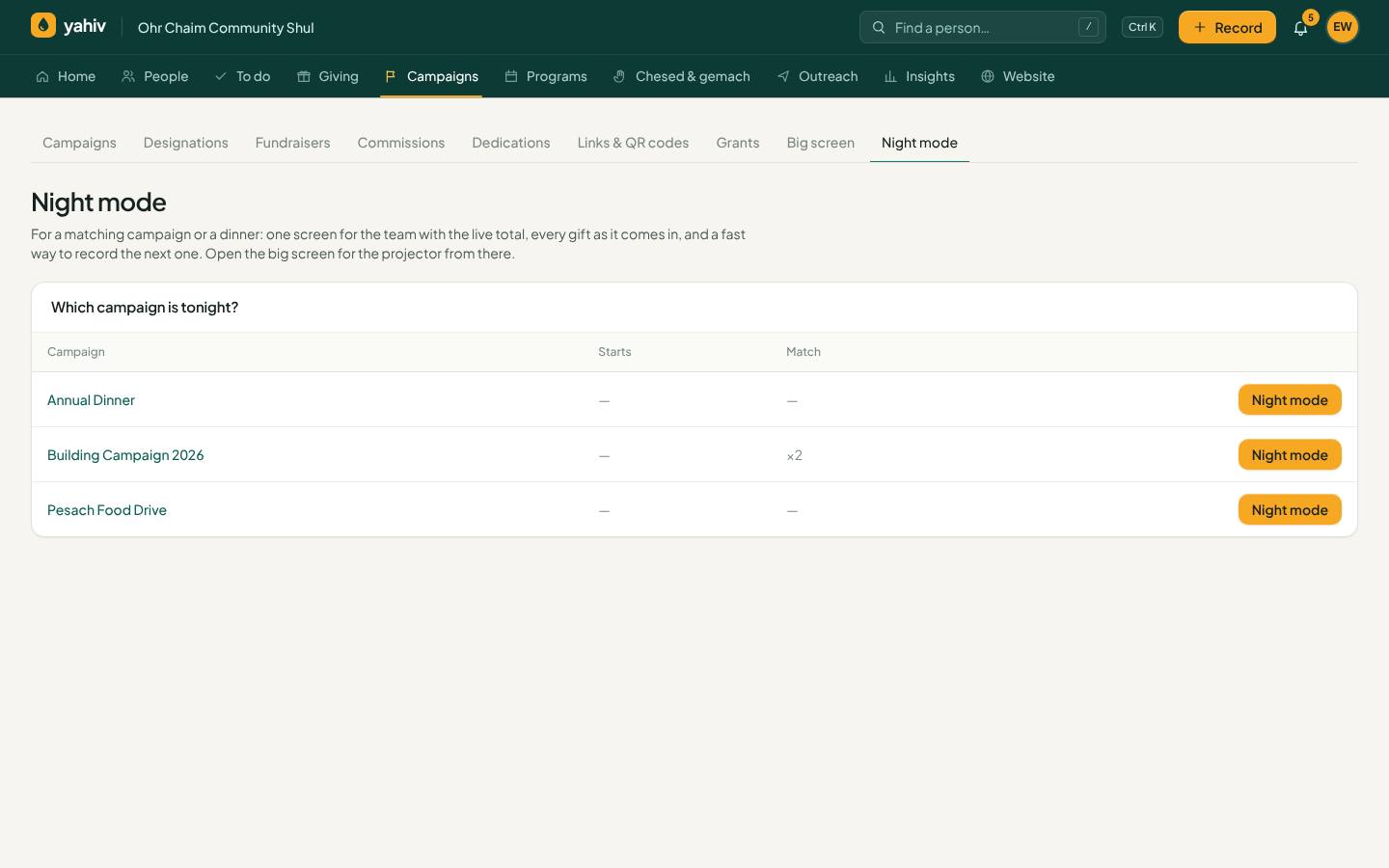
- Big screen
A live screen for campaign night or a dinner.
- Personal ask amounts
Suggested amounts based on each donor's history.
- Where gifts come from
Tracked links and QR codes (mailing, poster, fundraiser) with visits, gifts and dollars.
- Campaign costs vs. raised
See what each campaign cost and what it brought in.
- Donor portal
Donors sign in with a one-time code to see gifts and receipts, get yearly statements, pay pledges, change a card, skip or pause recurring gifts, and ask for a payment plan.
- Your own web address (add-on)
Run giving pages on your own domain.
Events, raffles and sponsorships
Run the dinner, the auction and the sponsorships from one place.
- Events and dinners
Tickets, tables, sponsorships, journal ads, limits, guest list with table numbers, seating, phone check-in at the door and a public purchase page.
- Raffles and Chinese auctions
Packages, staff and online sales, prizes, and a fair one-click draw with proof.
- Sponsorships
Kiddush, Parnas HaYom, HaShavua and HaChodesh, each booked as a pledge. Each kind can allow one person, up to a set number, or anyone, per day, week or month.
- Jewish-year sponsor view
See this year's and last year's sponsor for each day, week (by parsha) or Hebrew month, filter for 'not back yet', and book again in one click.
- Naming and dedication opportunities
Offer and track dedications.
Shul programs
Everything a shul runs, built in.
- Seats
Seats by section and season: sell, renew last year's holders and release. Each sale is a pledge.
- Honors / aliyos (kibbudim)
Log honors with bli-neder billing.
- Membership and dues
Membership plans with automatic dues, billed or charged to a saved card, and a behind-on-dues list.
- Yahrzeits and simchas
On the Hebrew calendar with correct Adar and Cheshvan rules, staff tasks and optional family emails. Hebrew dates appear on receipts and pledges.
- Yizkor lists
Collect and print Yizkor names.
- Tribute gifts
In honor or in memory, with e-cards or a printed-card queue.
- Hall and room rentals
Book and bill rentals.
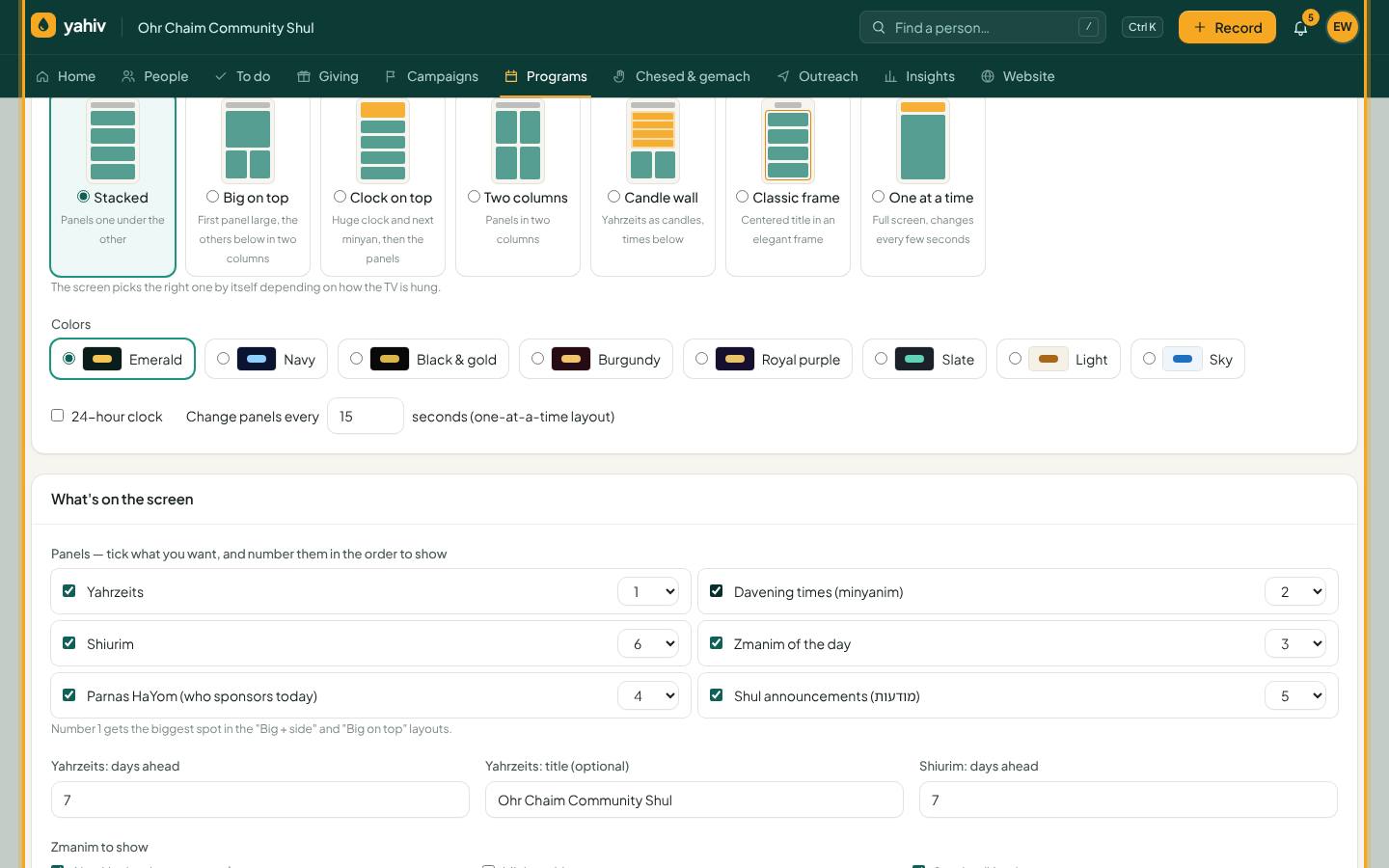
- Shul screen
18 layouts (11 wide, 7 tall) and 8 color themes in Hebrew, Yiddish or English. It shows zmanim, minyanim with a next-minyan countdown, shiurim, yahrzeits, announcements and the Parnas HaYom, HaShavua and HaChodesh.
- Lobby yahrzeit board
A screen of this week's yahrzeits.
- Shabbos & Yom Tov guard
Nothing goes out on Shabbos or Yom Tov: no texts, emails or calls, and giving pages can close.
Community and development programs
Tools for the wider work of an organization.
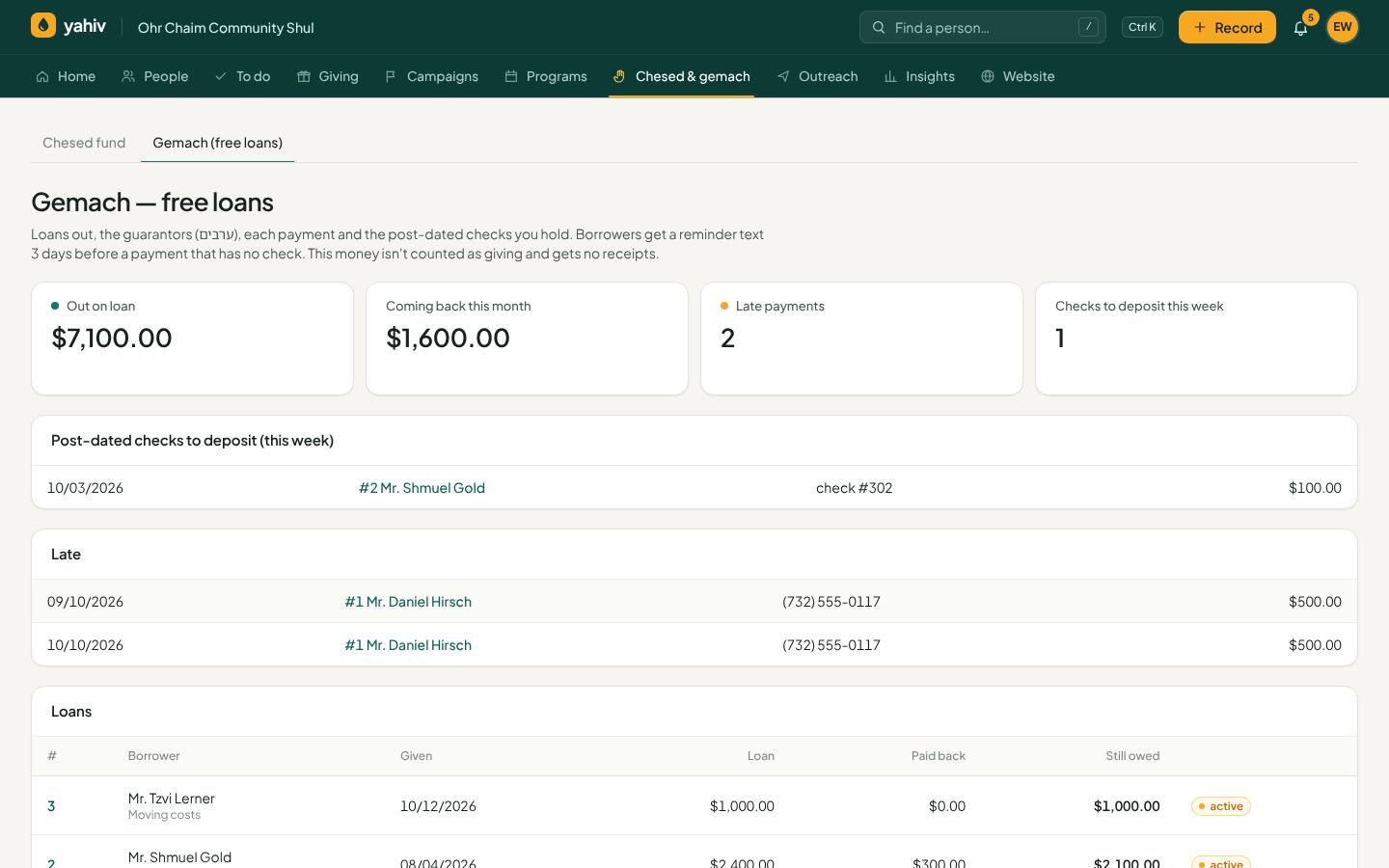
- Gemach (free-loan fund)
Loans, repayments and reminders that honor opt-outs.
- Chesed fund
Track help given and money raised.
- Tuition and scholarships
Bill tuition and track scholarships.
- Volunteer sign-ups
Shifts and days, with reminders.
- Major donors
A prospect pipeline for your largest donors.
- Donor research
Background on prospects in one place.
- Foundation grants
Track applications, deadlines and awards.
- Legacy gifts
Wills, trusts and insurance.
- Fund balances
Restricted gifts tracked by fund.
Outreach and communication
Reach the right people, the right way, without over-messaging.
- Bulk texts, emails and calls
To everyone, a tag, a segment or hand-picked donors, with merge fields such as name, Hebrew name and open balance.
- Preview before every broadcast
See who gets it, who's left out and why, and the estimated cost.
- Contact limits
Set limits per week or month, with a send-anyway reason.
- Large broadcasts that pick up where they stopped
If a huge send is interrupted, press Send again and it continues. Nobody gets it twice.
- Email designer
Headings, text, buttons and pictures, with open and click tracking and results for each send.
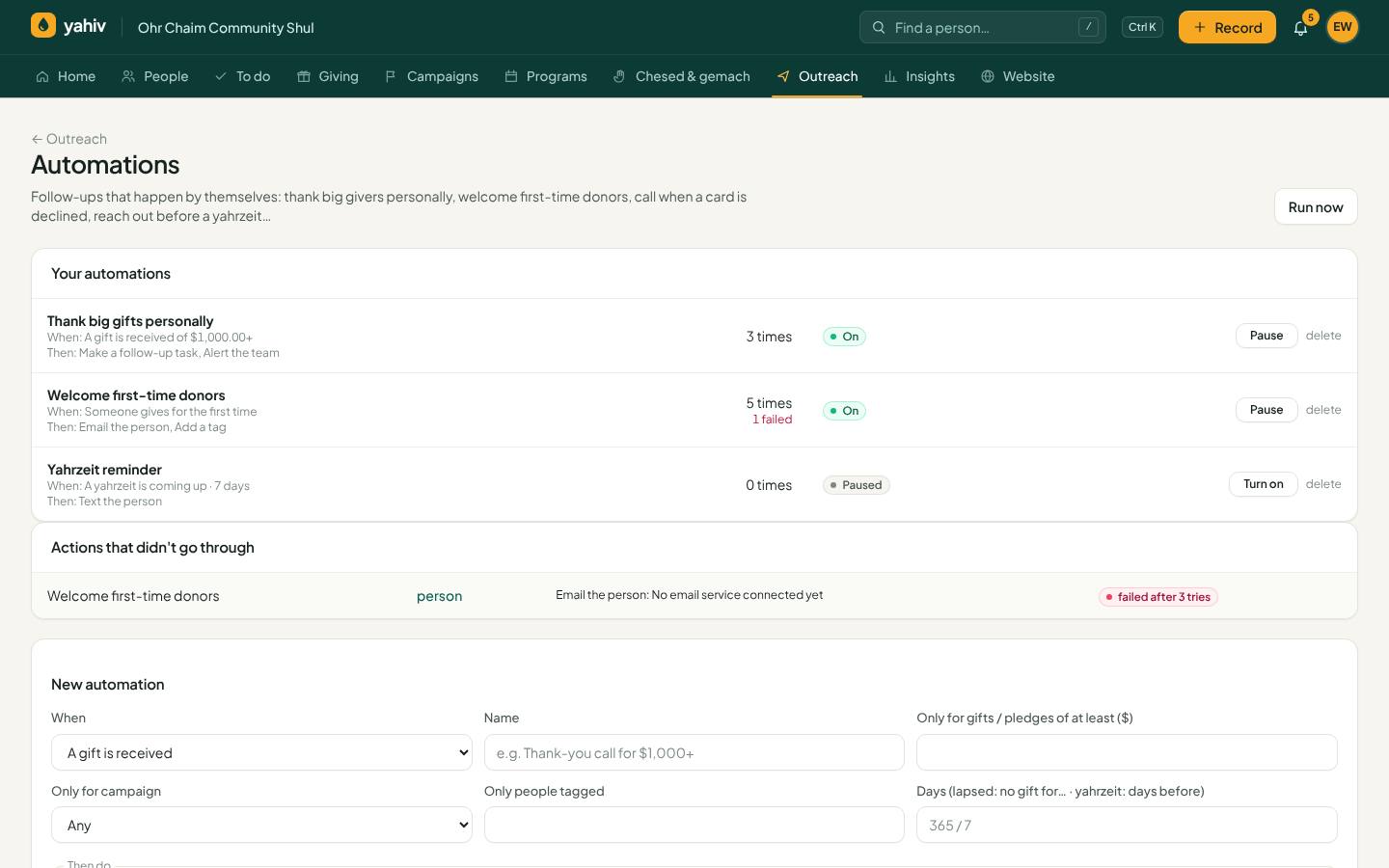
- Automations
A gift, first gift, pledge, declined recurring charge, lapsed donor or yahrzeit can trigger a task, email, text, tag or alert. Every result is recorded, and failures are retried.
- Receipts your way
Per person: email, text, or printed and mailed (with a print-and-mark queue).
- Personal thank-you notes (AI)
Draft a warm thank-you in seconds.
- Video thank-yous
Record and send a short video thank-you.
- Letters, envelopes and labels
Print mailings.
- Ready-made templates
Receipts, reminders, appeals, reminder plans and automations, ready to use.
- Email delivery check
Check that your emails won't land in spam.
Reports, accounting and tax
Clean numbers for the board, the bookkeeper and the tax authorities.
- Insights
Summaries by campaign, reason, payment type, collector, source and month, plus last gift per donor.
- Report builder and emailed reports
Build your own reports and have them emailed on a schedule.
- Weekly summary email
The week's numbers delivered to your inbox.
- Cash-flow forecast
What's expected to come in from pledges and recurring gifts.
- Year-end statements
Print them, or email every donor a signed link, using your organization's own year.
- QuickBooks Online and Xero
Daily journal entries posted to QuickBooks, or files for QuickBooks or Xero. Campaigns map to income accounts, refunds made after posting are corrected automatically, and non-cash gifts go to their own accounts.
- Deposit-report matching
Upload any processor's deposit report. Matched charges are marked as in the bank, and missing, extra and different charges are listed.
- Stripe payout matching and bank reconciliation
Tie payouts and bank lines back to gifts.
- Form 990 Schedule B
Contributors above the threshold, ready for the form.
- International receipts
Israeli section 46, Canadian (CRA) and UK Gift Aid claims, and other currencies at your rates.
- Your currency and your time zone
Shekels, pounds or dollars, and your own time zone, on every screen, receipt, report and export.
- Export anything
Every list exports to Excel, CSV, PDF (Hebrew-aware) or Word, exactly as shown.
Moving in from another system
Switching is fast, safe and reversible.
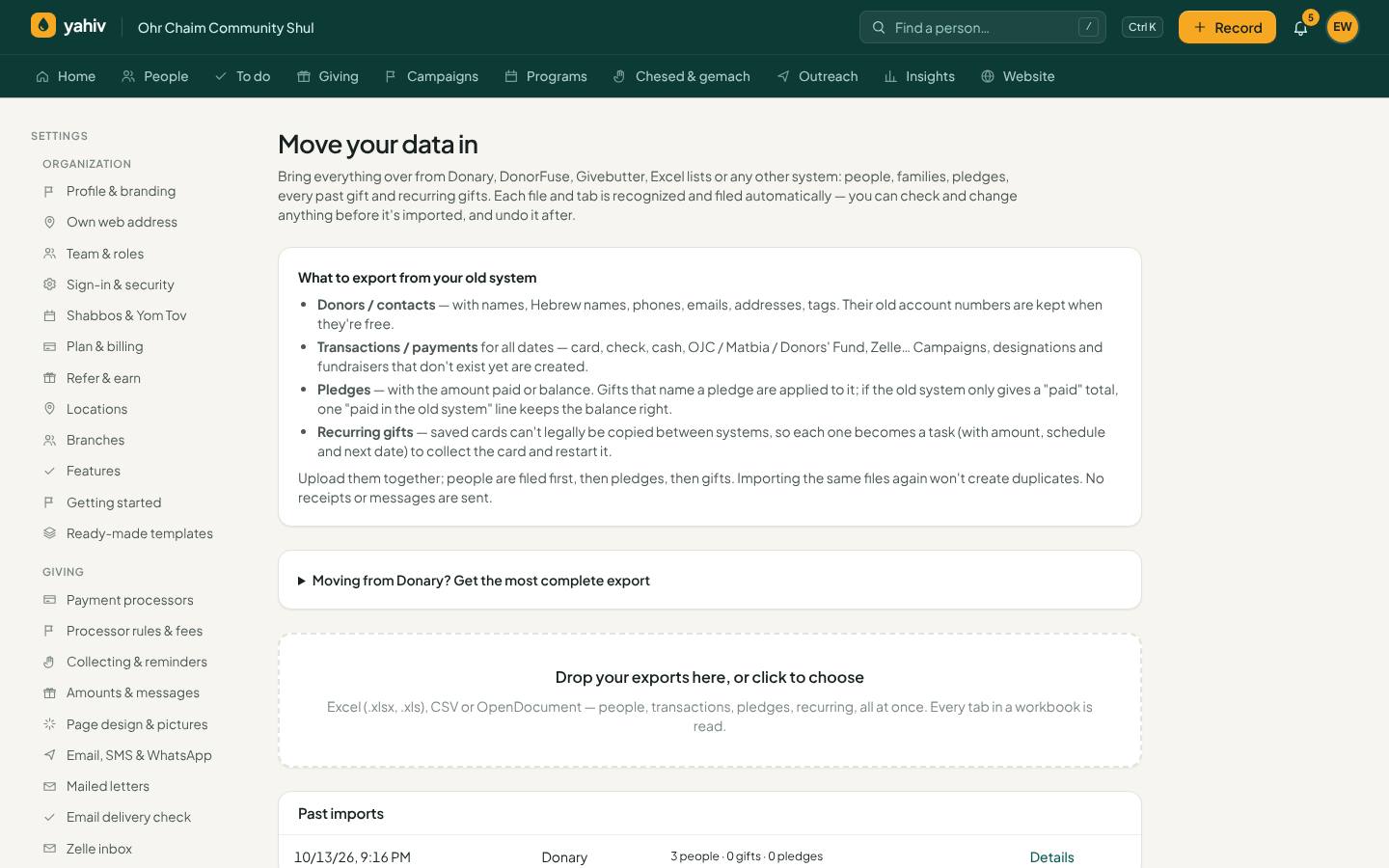
- Import wizard
Drop in Donary, DonorFuse, Givebutter, Excel or CSV exports, every tab. Yahiv recognizes people, gifts, pledges, recurring gifts and families, and matches columns automatically.
- Keeps everything
Old account numbers, Hebrew names, tags, extra columns, campaigns, designations, fundraisers and payment types.
- Duplicate-safe
Running the same file again doesn't double anything, and ID numbers from two different systems never mix.
- Import check
After every import: every row accounted for, money compared with the file, people you can't reach, and plan room, with sign-off.
- Review and undo
See the rows that need a look, and undo a whole import.
Your team and everyday work
Easy for the office, safe for the organization.
- Who sees what
For each person: people access, giving access, refunds, downloads, outreach, reports, 'own results only' and which campaigns they can see.
- Home shaped by role
Collector, staff and admin each see what matters to them.
- Getting started checklist
It ticks itself off as you go.
- Features on and off
Turn off what you don't use for simpler menus. Nothing is deleted.
- Alerts
Declines, stopped recurring gifts, past-due pledges, chargebacks and undelivered messages appear under the bell and by email. Each person only gets alerts for what they're allowed to see.
- Quick search (Ctrl+K)
Jump to any person, gift or page.
- Several organizations, one login
Switch between organizations easily.
- Hebrew and Yiddish screens
Right-to-left, chosen per user. Donors can switch on public pages.
- Phone app and notifications
Install Yahiv on your phone and get push notifications.
- Calendar feed
Yahiv dates in Google, Outlook or iPhone calendar.
- Ask Yahiv
A help assistant that knows every feature and can answer questions about your own data, within each user's permissions.
- Connect other apps
Zapier, Make, webhooks and an API.
- Your own forms
Build forms for sign-ups and requests.
Security, safety and reliability
Built to handle other people's money with care.
- Card numbers never reach Yahiv
Each processor's secure fields handle the card in the browser. Yahiv stores only a token and the last four digits.
- Charges recorded first
Every card charge is written down before the processor is asked, so a lost connection can't cause a double charge or a lost gift.
- Encrypted secrets
Processor, email and text keys are encrypted at rest.
- Strict separation
Every organization's data is walled off from every other's.
- Required 2-step sign-in
Plus sign-in history, a sessions list with sign-out, idle sign-out and lockout after failed attempts.
- Audit log
Every sensitive action is recorded.
- Signed links
Receipts, statements and pay links can't be tampered with, and each link works only for its own purpose.
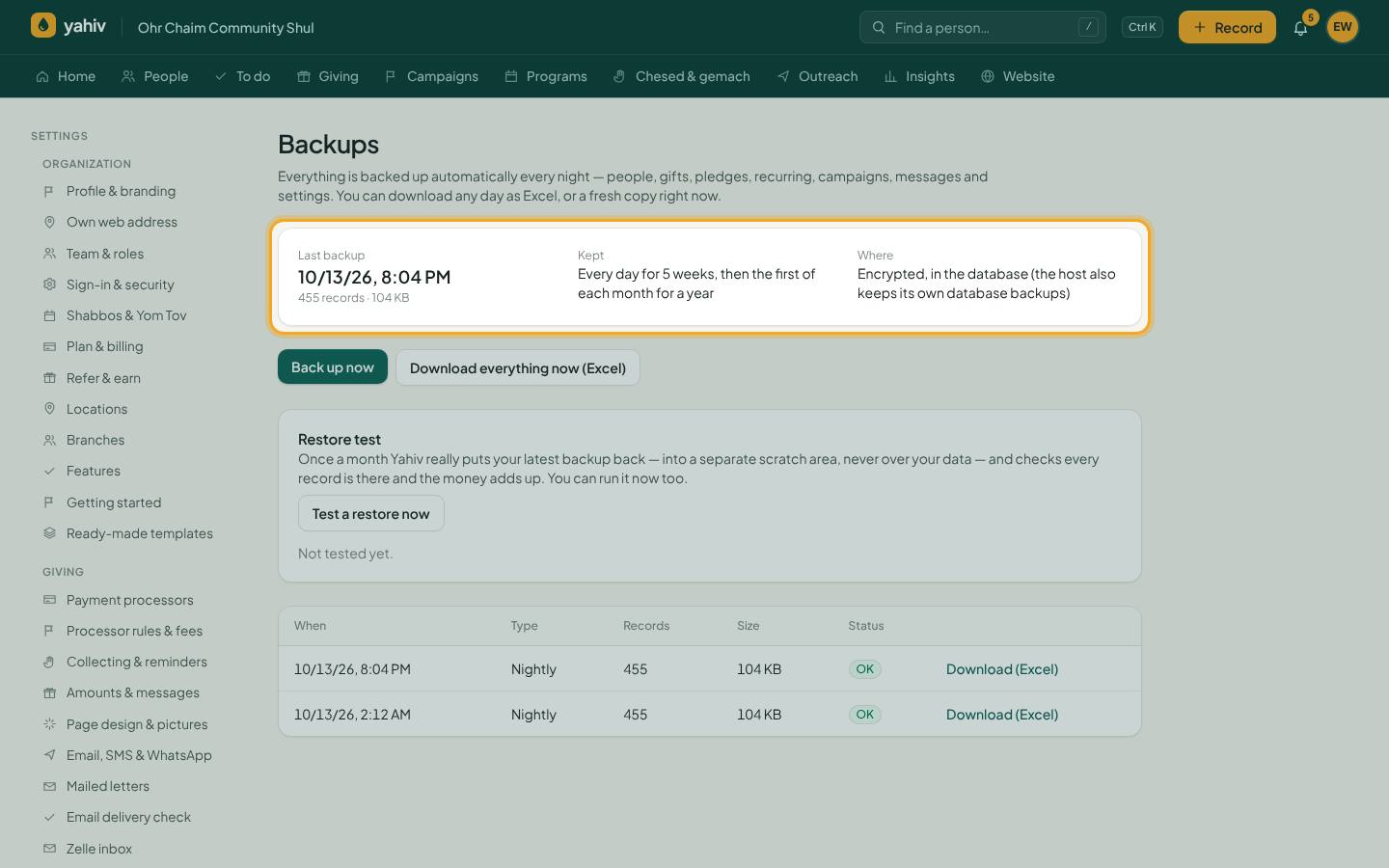
- Nightly encrypted backups
35 days of daily backups plus monthly ones for a year, stored off-site. Download any day as Excel.
- Monthly restore tests
Each organization's latest backup is actually restored in a separate area and checked, every month.
- Fast at scale
Tested with 50,000 people, 400,000 gifts and 40,000 pledges in one organization. Includes a built-in speed check page.
- Background jobs that finish
Recurring charges, reminders and syncs run in small, recorded steps. Anything unfinished continues on the next run.
Recently added
New tools from our latest round of upgrades.
- Yahiv app for iPhone and AndroidComing soon
A native phone app with push notifications, deep links and the camera for check photos. Until it is in the App Store and Google Play, Yahiv installs from the browser on any phone.
- OJC, The Donors' Fund, Pledger and Matbia
A ready-made connection for each charity-card fund (turns on the day the fund gives us its connection details), plus a way to record a card run on the fund's own terminal today, with its confirmation code. Card numbers are never stored.
- Receipts, statements and bills in Hebrew and Yiddish
Each person gets their letters in their own language, right-to-left with Hebrew dates and the organization's Hebrew name. Default language per organization, and templates per language.
- Letters mailed for you
Printed receipts and statements go out through a print-and-mail service (Lob or PostGrid) for a per-letter fee on the monthly statement. Delivery is tracked, and returned mail is flagged on the person.
- Smarter Zelle matching
An unknown Zelle sender gets up to three suggestions with a score and plain reasons (same name, same amount as before, pledge number in the memo, a family member's alias). One tap records it, and Yahiv can record by itself above a sureness you choose, with Undo.
- WhatsApp with a Pay button
Receipts, reminders and bills by WhatsApp carry Pay now, Update my card and My balance buttons. Pay now charges the card on file with the same limits as texting; no card is ever typed into a chat.
- Campaign-night mode
One screen for the big night: live total with matching, pace, the latest gifts streaming in, a fast name-and-amount entry, pause the big screen, undo the last gift, and a printable night summary.
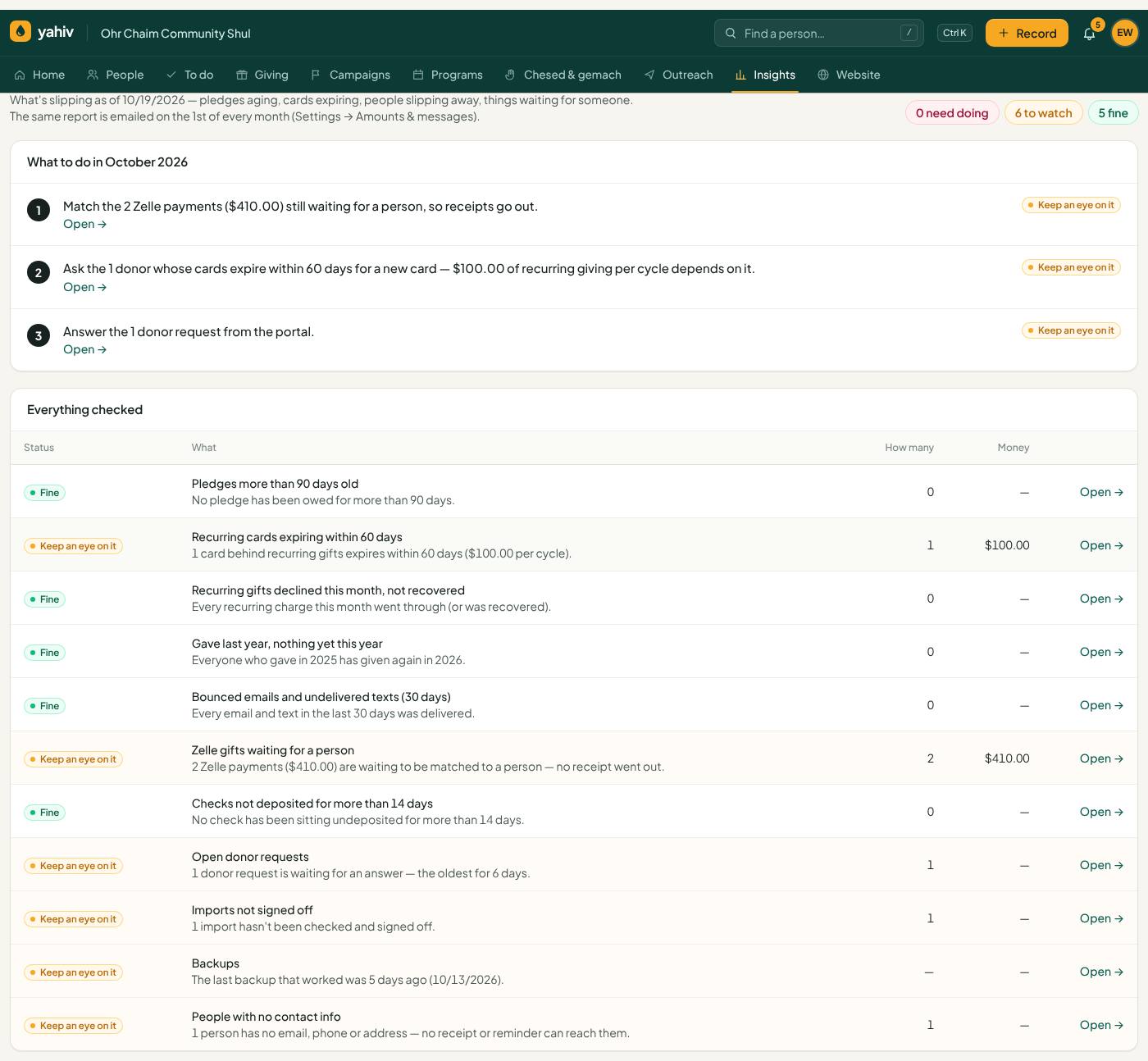
- Organization health report
A monthly plain-language report of what's slipping: old pledges, cards about to expire, lost donors, bounced emails, waiting Zelle gifts, undeposited checks, backup status, with the top three things to do this month. On the Insights page and by email on the 1st.
- Israel: Tax Authority donor report
For section 46 organizations: the annual donor list in the Tax Authority's layout (Excel, CSV and a Hebrew PDF), ID number check-digit validation, and a receipt-sequence check for gaps and duplicates.
Your accountant uploads the file on the Tax Authority site.
- Sample data for new accounts
A new account opens with a fictional shul to look around (people, gifts, pledges, events). One click removes the sample data; import brings in the real thing.
More recently added
Even more, built and tested in the same push.
- Donor app with Face ID
Donors add "My giving" to their phone's home screen, sign in with Face ID or a fingerprint, pay a pledge with one tap using the card on file, and get reminders and yahrzeit notes as phone notifications.
- Approvals from your phone
When a refund or void needs a second person, the admins get a phone notification and approve or turn it down in one tap. Requests expire after 7 days, and the person who asked hears the outcome.
- Live bank feed
Connect the organization's bank (through Plaid). Deposits come in by themselves every few hours and match to gifts, checks and Zelle; anything unmatched is listed to check.
Bank CSV files work today; the live connection is switched on per bank through Plaid.
- Month closing
Close a finished month after reviewing its totals. Nobody can then backdate, edit, void or split a gift in that month; an admin can reopen it with a reason, and a report shows every change made after closing.
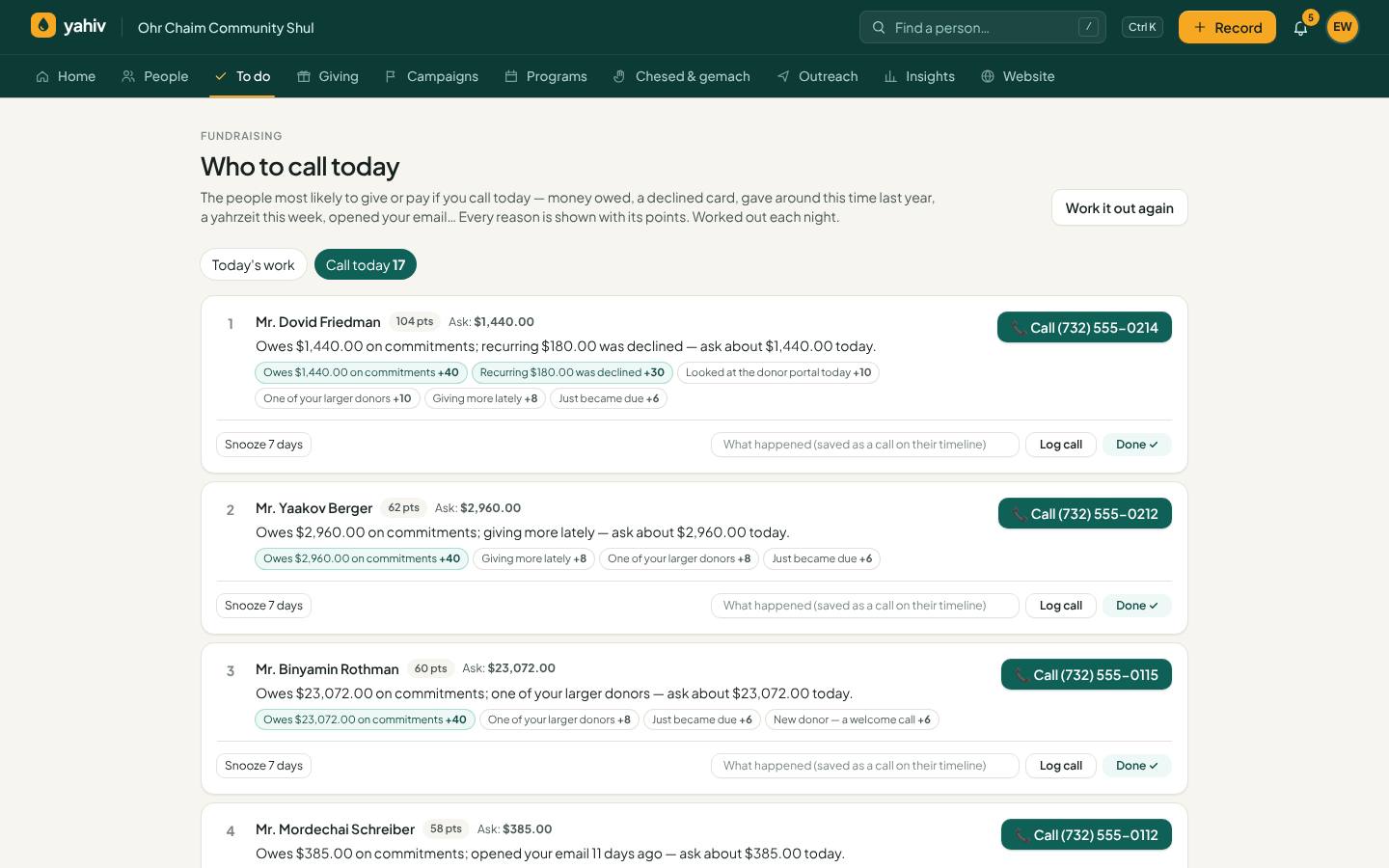
- Who to call today
Each morning, the 25 people most worth calling, with the reasons (old pledge, giving anniversary, upcoming yahrzeit, slipping away), a suggested ask, the best phone and the best time to call.
- Employer matching gifts
Record each donor's employer; Yahiv recognizes about 75 companies with matching-gift programs, adds a follow-up task after a qualifying gift, can email the donor the company's form, and tracks the match money from suggested to received.
Company program details are typical values: confirm them with the employer.
- Pledges by QR code at events
Guests scan a QR on the table, pick an amount on their phone and pledge; it appears on the big screen within seconds, and they get a text with a link to pay. Print posters and table tents from Yahiv.
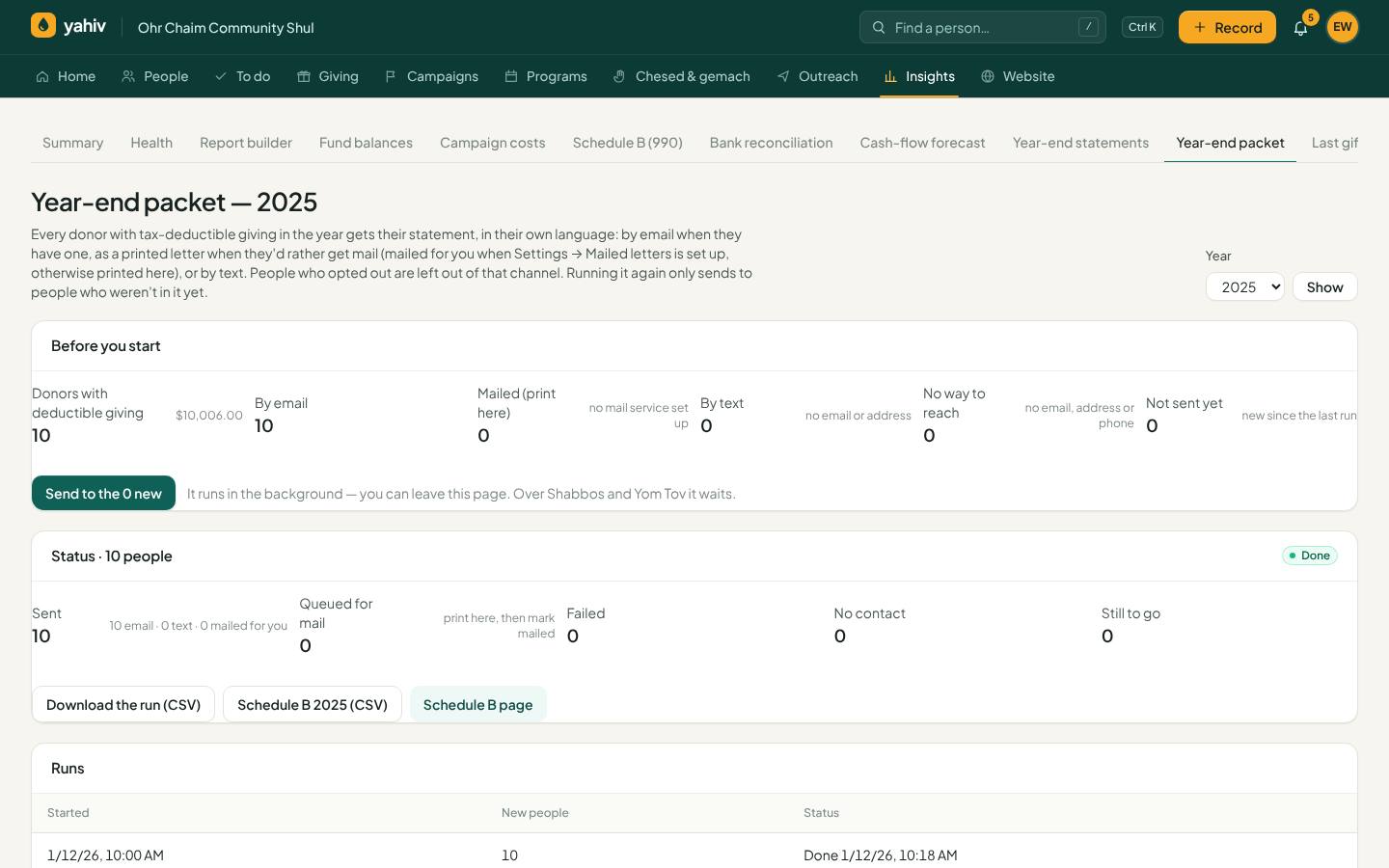
- Year-end packet in one click
Every donor's yearly statement in one run, in their own language, by email, printed mail or text, with a status board, retry for failures, one PDF for printing in-house, and the Schedule B.
- Duplicate review during import
Before anyone is created, likely duplicates (in the file, or already in Yahiv) are shown side by side with a confidence score: merge, combine or keep separate, or accept all the sure ones at once.
- Branches
An umbrella organization with several shuls or schools: each branch keeps its own staff, processors and receipts, and the umbrella sees each one's totals and combined reports, without seeing donor details.
See Yahiv with your own kind of data
We'll walk you through it and help you move in from your current system.